Waterpark Simulator Multiplayer: Confirmed Co-op and Unknown Crossplay
Use a buyer-safe decision path that separates a dated online co-op signal from crossplay, platform and join details that still need proof.

What is confirmed today
Steam’s support surface lists Waterpark Simulator with online co-op. That supports a multiplayer intent, but it does not automatically prove cross-platform play, save ownership, player limits or the exact join flow for every build.
Co-op is not crossplay
The dated evidence supports an online co-op signal for the Steam PC route. It does not prove crossplay, player count, console availability, host or save ownership, account requirements, or an exact join menu. Each is Unknown until a first-party platform statement or reproducible current-build evidence establishes it.
Before two people buy
First identify each player's platform and store route. Is that exact combination confirmed by a current first-party source? If not, stop at Unknown rather than promising compatibility. “Multiplayer” and “crossplay” are separate claims.
If joining fails
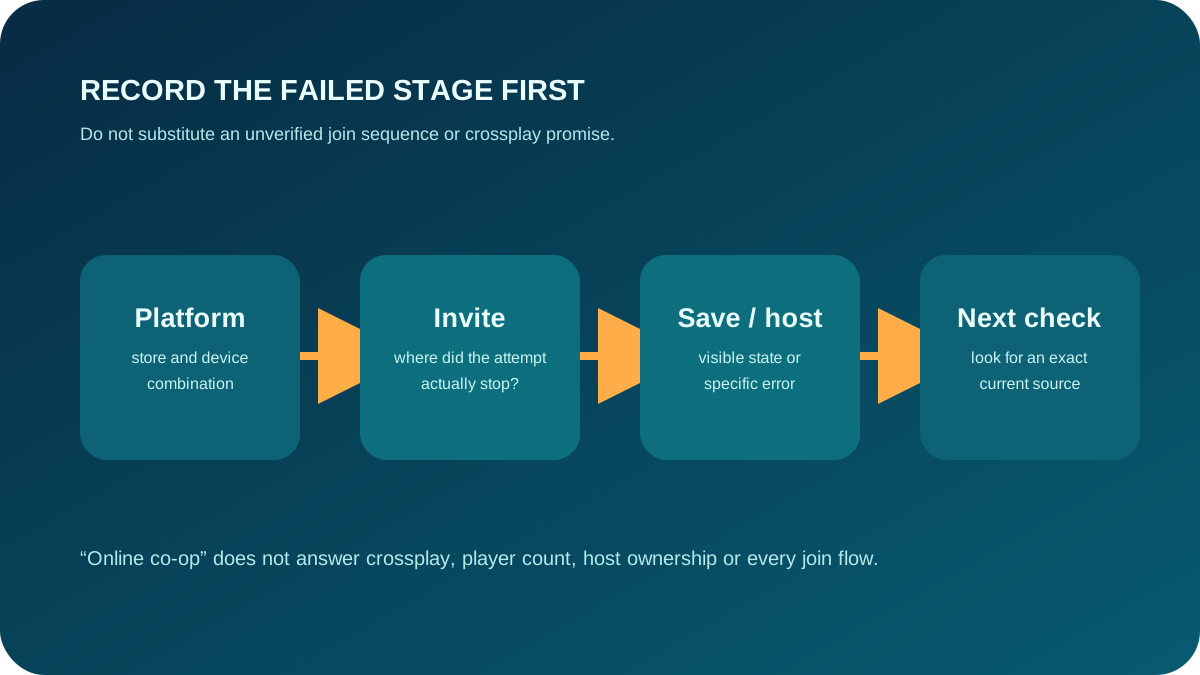
Do not invent menu buttons or host rules. First record the exact stage where the attempt stops: purchase route, platform combination, invitation, save/host state, or a visible error. That record is more useful than repeatedly changing unrelated park settings. An exact join path remains unavailable here until it can be verified.
Safe answer for buyers
Use the Steam listing for the current PC purchase decision, then check platform-specific official support immediately before buying or inviting a friend. For a normal park-operating blocker, use Troubleshooting; for exact inputs/settings, use the evidence-status Controls page.
Next action
Before buying or inviting anyone, write down both players’ platform and store route. Confirm that exact combination from a current first-party source; if it is not documented, keep the answer at Unknown rather than guessing a join sequence.